Security Camera Install at an Apartment Complex

Security camera install in an apartment complex is a critical task that ensures the safety and security of residents. With crime rates in urban areas remaining a concern, surveillance systems provide a layer of protection that can deter criminal activity and offer peace of mind. This article will guide you through the process of installing security cameras in an apartment complex, highlighting key considerations, challenges, and best practices.

Importance of Security Camera Install in Apartment Complexes

High-tech security camera installed on the exterior of a modern apartment complex, highlighting advanced surveillance systems for enhanced safety and crime prevention in urban residential areas.

Security camera installs play a vital role in maintaining the safety of apartment complexes. They help in monitoring suspicious activities, ensuring the safety of residents, and providing evidence in case of incidents. According to the National Apartment Association, properties with security cameras experience fewer incidents of vandalism and theft, contributing to a safer living environment.

Planning the Security Camera Install

1. Conduct a Security Assessment

Before starting a security camera install, it’s crucial to conduct a thorough security assessment of the apartment complex. Identify high-risk areas such as entrances, exits, parking lots, and common areas. This helps in determining the number of cameras needed and their optimal placement.

Property manager conducting a detailed security assessment of an apartment complex, analyzing a map marked with high-risk areas like entrances, exits, and parking lots to optimize security camera placement.

2. Choose the Right Cameras

Selecting the appropriate cameras for your security camera install is essential. Here are some types of cameras to consider:

  • Bullet Cameras: Ideal for outdoor use, offering a long-range view.
  • Dome Cameras: Suitable for indoor use with a wide-angle view.
  • PTZ Cameras: Pan-Tilt-Zoom cameras provide flexibility in monitoring large areas.

3. Determine the Number of Cameras

The number of cameras required depends on the size and layout of the apartment complex. In the case of the six-floor apartment complex in Racine, 35 cameras were deemed necessary. Ensure that each camera covers a specific area without significant blind spots.

Security Camera Install Process

1. Wiring and Connectivity

Proper wiring is crucial for the effective functioning of the security camera install. In the Racine apartment complex project, the biggest challenge was connecting the six floors to ensure all cameras could be viewed on the Network Video Recorder (NVR). This involved:

  • Using Power over Ethernet (PoE) Switches: PoE switches simplify the wiring process by providing power and data transmission over a single cable.
  • Connecting Floors: To connect different floors, stairwells were utilized to run cables between the second and third floors, which were critical connection points.

2. Positioning the Cameras

Proper positioning of cameras ensures maximum coverage and effectiveness. Here are some tips for an effective security camera install:

  • Entrances and Exits: Place cameras at all entry and exit points to monitor who comes in and out.
  • Common Areas: Install cameras in areas like lobbies, hallways, and recreational areas to monitor activities.
  • Parking Lots: Ensure parking areas are well-covered to prevent vehicle-related crimes.

3. Testing and Adjustments

After the security camera install, it’s essential to test each camera to ensure it covers the intended area. Adjust the angles and positions if necessary. Check the footage quality and make sure the cameras are recording properly.

Challenges and Solutions in Security Camera Install

1. Complex Layouts

Apartment complexes with unique layouts, like the one in Racine that combined three different buildings, present wiring and connectivity challenges. Using PoE switches and strategically placing connection points can help overcome these challenges.

2. Cable Management

Proper cable management is essential to avoid damage and ensure a neat security camera install. Use conduits and cable trays to organize cables. Label each cable to simplify maintenance and troubleshooting.

3. Ensuring Network Security

Securing the surveillance network is crucial to prevent unauthorized access. Use strong passwords, enable encryption, and regularly update firmware to protect the system from cyber threats.

Property manager monitoring live security camera feeds in an apartment complex, performing routine maintenance and ensuring all surveillance systems are functioning properly for resident safety.

Maintenance and Monitoring of Security Camera Install

1. Regular Inspections

Regularly inspect cameras and other components to ensure they are functioning correctly. Look for signs of wear and tear, and replace any damaged parts promptly.

2. Software Updates

Keep the surveillance system’s software updated to benefit from the latest security features and improvements. This includes the NVR software and camera firmware.

3. Remote Monitoring

Remote monitoring allows property managers to keep an eye on the apartment complex from anywhere. Choose a system that offers mobile access and alerts to stay informed about any suspicious activities.

Benefits of Security Camera Install

Installing a security camera system in an apartment complex offers numerous benefits:

  • Crime Deterrence: Visible cameras deter criminals from targeting the property.
  • Evidence Collection: Recorded footage provides valuable evidence in case of incidents.
  • Enhanced Safety: Continuous monitoring ensures the safety of residents and their property.

Statistics Supporting the Importance of Security Camera Install

  • According to the National Crime Prevention Council, homes without security systems are 300% more likely to be broken into.
  • A report from Urban Institute indicates that security cameras in public places reduce crime rates by about 51%.

Conclusion

A security camera install in an apartment complex is a significant undertaking that requires careful planning and execution. By conducting a thorough security assessment, choosing the right cameras, and ensuring proper installation and maintenance, property managers can enhance the safety and security of their complexes. The Racine apartment complex project exemplifies how strategic planning and overcoming challenges can result in a robust surveillance system that provides peace of mind for residents.

Sources

  1. National Apartment Association: Apartment Safety Statistics
  2. National Crime Prevention Council: Crime Prevention Tips
  3. Urban Institute: Impact of Security Cameras on Crime

By following these guidelines, you can ensure a successful security camera install that enhances the safety and security of your apartment complex.

Affordable 1080p Security Camera System: High Quality Protection

In the realm of home and business security, 1080p security camera systems have become a popular choice, balancing affordability with high-definition video quality. These systems provide clear footage that can be crucial for identifying individuals, monitoring activities, and deterring potential threats. In this article, we’ll explore the benefits of affordable 1080p security camera systems, provide insights from a recent installation, and offer tips on choosing the right system for your needs.

Why Choose an Affordable 1080p Security Camera System?

  • Clarity: 1080p resolution delivers clear, detailed images, allowing for better identification of faces and objects compared to lower resolutions.
  • Cost-Effectiveness: These systems offer a balance between quality and price, making them a practical choice for those on a budget.
  • Wide Availability: Numerous brands and models offer 1080p systems, giving consumers a wide range of options to suit their specific needs.
  • Deterrent: The presence of visible security cameras can deter potential intruders, enhancing the overall security of your property.

Real-World Installation: A Case Study

Redbird, a technology solutions provider, recently completed an installation of an affordable 1080p security camera system for a salon. The customer wanted a significant upgrade from their previous system without incurring excessive costs.

  • The Solution: Redbird opted for the Ubiquiti G3 Flex camera, a 1080p indoor/outdoor model known for its low profile, image quality, and flexibility. Six cameras were strategically placed throughout the salon’s interior.
  • NVR and Storage: A Ubiquiti UniFi Protect console key, upgraded with a 2TB surveillance-specific hard drive, served as the Network Video Recorder (NVR), storing footage from all cameras.
  • Results: The customer was impressed with the clarity of the 1080p footage and the system’s overall performance, achieving their goal of enhanced security within a reasonable budget.

Key Considerations When Choosing an Affordable 1080p System

  • Indoor vs. Outdoor: Determine whether you need cameras for indoor or outdoor use, or both.
  • Wired vs. Wireless: Wired cameras offer a stable connection but require cabling. While wireless cameras are easier to install but may have signal limitations.
  • Field of View: Consider the area you want to monitor and choose cameras with an appropriate field of view. Like wide-angle, narrow-angle, etc..
  • Night Vision: If you need surveillance in low-light conditions, ensure your chosen cameras have adequate night vision capabilities.
  • Storage: Decide whether you prefer local storage on a hard drive or cloud storage (which often involves a subscription).
  • Additional Features: Some systems offer features like motion detection, two-way audio, and remote viewing. Consider which features are essential for your needs.

Statistics and Facts

  • According to a 2023 report by Security.org. 1080p is the most common resolution for home security cameras, accounting for 56% of the market.
  • A study by the University of North Carolina at Charlotte found that security cameras can reduce crime rates. The reduction can be up to 50%.

Conclusion

Affordable 1080p security camera systems offer a valuable security solution for homes and businesses. They provide clear footage and deterrent capabilities with a range of features to suit various needs.

Consider your requirements and research available options. You can find a system that fits your budget and enhances your property’s security.

I hope this article is helpful and informative! Feel free to ask if you have any other questions.

No More DVDs at Best Buy Starting 2024

Introduction: Best Buy to Stop Selling DVDs and Blu-rays

In a significant shift for physical media enthusiasts, Best Buy has announced that starting in 2024, it will no longer sell DVDs and Blu-rays. This decision comes as digital streaming services continue to dominate the entertainment landscape, pushing out physical formats.

The Decline of Physical Media at Best Buy

Best Buy has been a go-to spot for the latest in physical movie releases for decades. However, with the rise of platforms like Netflix and Disney+, the demand for DVDs and Blu-rays has declined drastically. Following the discontinuation of music CDs in 2018, Best Buy’s decision to cease DVD sales marks another step towards a fully digital future.

No More DVDs at Best Buy Starting 2024

Impact on DVD Collectors and Traditional Movie Fans

For those who prefer a tangible collection, the absence of DVDs and Blu-rays at Best Buy will be keenly felt. The store was known for its exclusive releases and special editions, which will now be much harder to find. This move away from DVDs also means losing the unique in-store experience of browsing and discovering new movies.

Adapting Retail Spaces for Modern Consumers

As DVD sales dwindle, Best Buy is reallocating its floor space to better serve modern consumers. Areas once filled with movies are now dedicated to the latest in technology, such as smartphones and laptops, reflecting the new ways people access and enjoy media.

Alternatives for Purchasing DVDs and Blu-rays

Although Best Buy is phasing out DVDs, other retailers like Walmart continue to offer physical media, albeit with varying levels of selection and quality. Online retailers like Amazon also remain strong alternatives, offering a vast array of DVDs and Blu-rays for those who still value physical copies.

Future Trends in Media Consumption

The end of DVD sales at Best Buy signifies a broader industry shift towards digital media formats. As streaming becomes the norm, physical media is becoming more niche, although it remains cherished by collectors and traditionalists.

Transitioning to a Digital Media World

Best Buy’s decision to stop selling DVDs and Blu-rays is a clear indicator of the changing preferences in how consumers access entertainment. As we move further into the digital age, the convenience of streaming continues to redefine our media consumption habits, although the charm of physical media will always hold a special place for many.

Learn more about RedBird Technology Solutions.

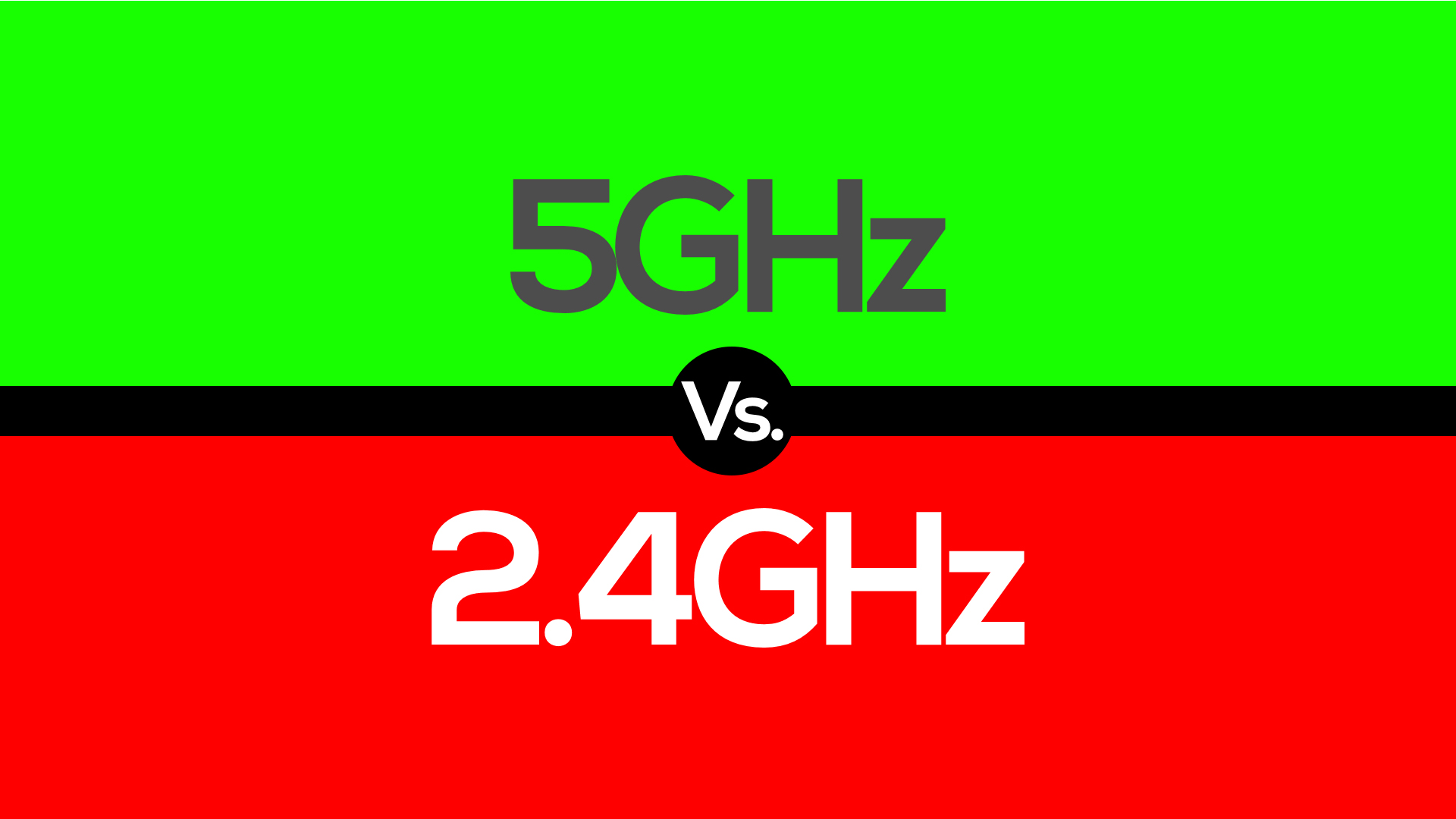
5GHz or 2.4GHz: Which One is Better?

Navigating the WiFi Wave: 5GHz vs. 2.4GHz

Imagine you’re settled in your new apartment, looking out at the city skyline, ready to get online. But, you find your WiFi is slow. You wonder: should I use 5GHz or 2.4GHz WiFi? Which is better?

In today’s world, having a reliable internet connection is crucial. It connects us with friends globally and supports remote work. With two common WiFi frequencies available, choosing the right one can make a big difference in your internet experience. Let’s explore how each works and which might be best for you.

5GHz vs. 2.4GHz: A Tale of Two Frequencies

Let’s look at the main factors: speed and range.

2.4GHz: The Long-Distance Runner

  • Pros: Has a longer range and can penetrate walls better.
  • Cons: Can become slow when many devices are connected, as it gets too crowded.

5GHz: The Speedy Sprinter

  • Pros: Offers faster speeds and better at avoiding interference from other devices.
  • Cons: Struggles with walls, which can limit its range indoors.

Beyond 2.4GHz and 5GHz: Enter 6GHz

Recently, a new player has entered the scene: 6GHz. This frequency adds even more speed and less congestion, ideal for very busy environments or cutting-edge tech applications. It’s like having an express lane in WiFi, where newer devices can operate without older ones slowing them down.

Tri Band Router Explained

Understanding Dual, Tri, and Quad Band Routers

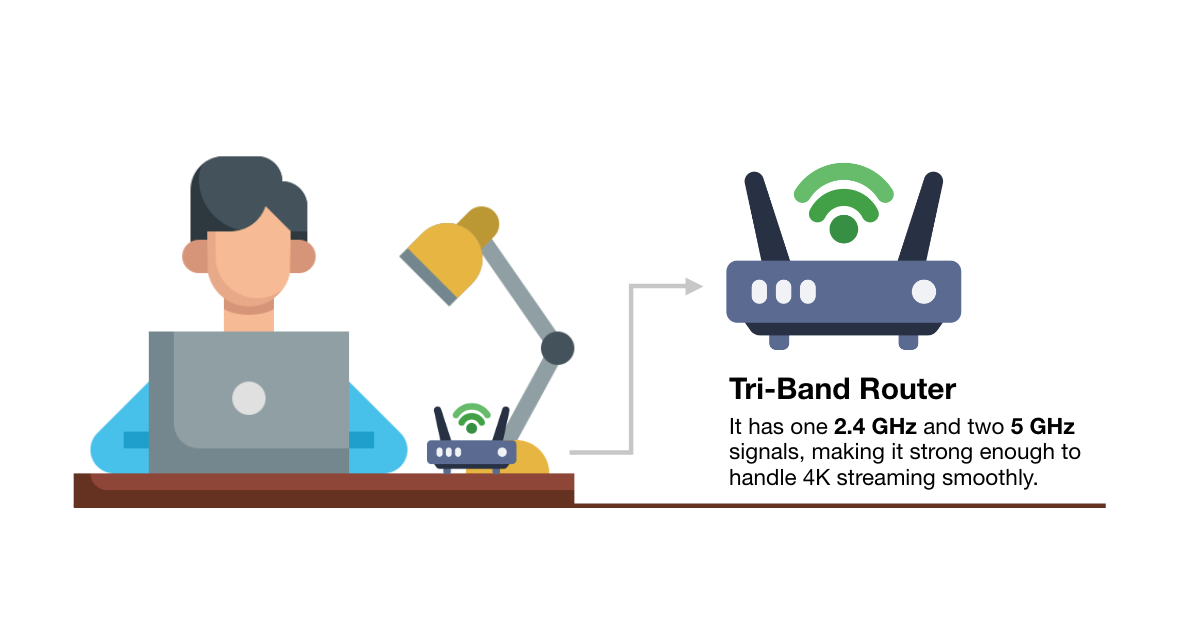
Routers often come labeled as Dual Band, Tri Band, or even Quad Band. These terms refer to how many frequencies the router can use:

  • Dual Band: Offers both 2.4GHz and 5GHz frequencies.
  • Tri Band: Adds an additional 5GHz to reduce congestion on the network.
  • Quad Band: Incorporates the new 6GHz band, along with the other frequencies, for maximum flexibility.

The Convenience of Band Steering

Many modern routers come with a feature called “Band Steering.” This technology automatically decides which frequency (2.4GHz, 5GHz, or 6GHz) is best for each device, based on its usage and location. It’s usually turned on by default to help users get the best possible connection without manually switching between frequencies.

While many appreciate band steering for making their lives easier, some prefer to control which frequency their devices use. They might turn band steering off to ensure they always connect how they like.

Making the Smart Choice

Here’s a simple guide: Choose 5GHz for speed, especially if you’re near your router. Opt for 2.4GHz for a more reliable connection over longer distances or through walls. Consider 6GHz if you have newer devices and need the fastest, least congested connection available.

Picking Your WiFi Path

Choosing between 2.4GHz, 5GHz, and now 6GHz is like picking tools based on the job at hand—each has its strengths. Whether you enjoy the simplicity of band steering or prefer to manage your settings manually, the right setup can greatly enhance your online experience. Make sure your choice aligns with your needs and enjoy the vast world of digital opportunities that good WiFi brings.

Understanding and Avoiding the Web Envy Scam

A Simple Guide to Spotting Email Fraud

In 2021, a new scam emerged targeting small businesses, known as the Web Envy scam. It’s making a comeback in early 2024. Small businesses receive fake invoices from “Web Envy Solutions” for $98.57, claiming charges for SEO/Link Building services. These invoices look real, showing the customer’s name, account number, and domain, and they’re sent via PDF email or sometimes fax, which is unusual for scams.

The Web Envy website appears trustworthy, yet the contact number leads to a dead end, stating it’s out of service. Scammers often send this fake invoice to various people within the same company, hoping someone will respond.

Key Tactics Used by Scammers:

  • Creating Urgency: Scammers know people tend to quickly pay invoices to avoid trouble. They press you to act fast, hoping you won’t check the invoice’s legitimacy.
  • Pretending to Be Trusted: They might impersonate reputable organizations to lower your guard. The Web Envy scam uses a convincing website to trick you.
  • Demanding Specific Payment Methods: Scammers prefer payment methods that are hard to trace or reverse, like wire transfers, cryptocurrency, payment apps, or gift cards.

How to Avoid a Scam:

  • Pause Before You Act: Always examine an invoice carefully. Look for odd details like unfamiliar return addresses or phone numbers. It’s wise to discuss it with your team or technology department to confirm its legitimacy.
  • Guard Your Information: Never share personal or financial details unless you’re sure who you’re dealing with. If an unexpected request comes, verify the requester’s identity before responding. Be skeptical of phone numbers provided in emails—they might lead you straight to the scammer.
  • Reject Unusual Payment Requests: Legitimate bills usually offer standard payment methods, such as checks, credit cards, or online payments. Be suspicious if asked to pay via wire transfer, cryptocurrency, payment apps, or gift cards.

For more tips on avoiding scams, the Federal Trade Commission offers valuable resources. And if you’re curious about enhancing your cybersecurity, feel free to contact us for more information on protective services.

WiFi vs Wired: Pros, Cons, and Which is Right for You

Wifi vs Wired Internet: In the ever-connected world we live in, choosing the right internet connection is vital. Whether you’re streaming your favorite shows, working from home, or gaming online, your choice between WiFi and wired can make a significant difference. In this article, we’ll break down the pros and cons of each option to help you decide which one suits your needs best.

WiFi: The Pros and Cons

Pros of a WiFi connection:

1. Convenience: WiFi offers the ultimate convenience, allowing you to access the internet from anywhere within the range of your router. No more being tethered to a specific spot; you can move freely around your home or office while staying connected.

2. Mobility: Have a laptop, smartphone, or tablet? WiFi enables all your wireless devices to connect to the internet, offering seamless mobility. You can work in your cozy living room, binge-watch in bed, or even take your online meetings to the garden.

3. Cost-effective: Setting up a WiFi network is budget-friendly since it doesn’t require the purchase and installation of physical cables. You can save on installation costs and avoid the hassle of running cables through your walls.

Cons of a WiFi connection:

1. Limited range: While WiFi offers mobility, it does come with limitations. Signal strength can be affected by walls, distance, and other obstacles. If your router is too far away, you might experience slow or unreliable connections.

2. Interference: WiFi signals can be disrupted by other electronic devices and appliances in your home. Microwaves, cordless phones, and even neighboring WiFi networks can interfere with your connection quality.

3. Security: Wireless networks are more susceptible to hacking and security breaches compared to wired networks. If not properly secured, your WiFi network can be vulnerable to unauthorized access.

4. Speed: Although WiFi technology has improved significantly, a wired connection still tends to provide faster and more consistent speeds. When multiple devices are connected to the WiFi network, you may experience reduced speed.

Wired: The Pros and Cons

Pros of a wired connection:

1. Speed: Wired connections are known for their blazing-fast internet speeds. If you require lightning-quick downloads, smooth gaming, or high-definition streaming, a wired connection is the way to go.

2. Stability: Wired connections are less susceptible to interference and signal strength issues, providing a stable and reliable internet connection.

3. Security: Wired networks are generally considered more secure than wireless ones. With physical access required, unauthorized users are kept at bay.

Cons of a wired connection:

1. Limited mobility: The most apparent drawback of a wired connection is its lack of mobility. Devices need to be physically connected to the router via Ethernet cables, which can limit your flexibility.

2. Cost: Setting up a wired network can be more expensive due to the purchase and installation of physical cables. It might not be the most cost-effective option, especially if you need to hire professionals for installation.

3. Inconvenience: Dealing with Ethernet cables can be inconvenient, and they might not be practical in all living spaces. Cables can be unsightly and require careful planning to avoid clutter.

WiFi vs Wired: Making the Right Choice

The choice between WiFi and wired internet ultimately comes down to your specific needs and preferences. Here are some considerations to help you make the right decision:

Choose WiFi if:

  • You prioritize convenience and mobility.
  • You have multiple wireless devices that need to connect.
  • Running cables through your space isn’t practical or aesthetically pleasing.
  • You can optimize your WiFi network with the latest technology like WiFi 6 and secure it properly.

Choose wired if:

  • Speed and stability are your top priorities.
  • You work from a fixed location, like a home office.
  • You want a more secure and interference-free connection.
  • You’re willing to invest in the initial setup and don’t mind the presence of cables.

In the end, both WiFi and wired connections have their unique advantages and disadvantages. By understanding your specific needs, you can make an informed choice that ensures your internet connection aligns with your lifestyle and preferences.

WiFi vs Wired: Common Questions and Scenarios

1. Is WiFi slower than a wired connection?

  • WiFi speeds can be slower than wired connections, especially when multiple devices are connected to the network. However, with advancements like WiFi 6, WiFi speeds have significantly improved.

2. Can I use both WiFi and wired connections at the same time?

  • Yes, you can use both simultaneously on different devices. This can be useful for households or offices with a mix of wired and wireless devices.

3. How can I improve my WiFi signal strength?

  • To improve WiFi signal strength, consider placing your router in a central location, using WiFi range extenders, or upgrading to a more powerful router.

4. Are wired connections more secure than WiFi?

  • Generally, wired connections are considered more secure because they are less susceptible to hacking and interference

Webroot vs Bitdefender: The Antivirus Battlefield

When choosing an antivirus solution, the debate often narrows down to two notable contenders: Webroot and Bitdefender. In the tech corridors of Redbird Technology Solutions, our IT Director Santos recently narrated an alarming incident. A client’s simple click on a deceptive email caused a catastrophic network breach. This incident highlights the undeniable importance of robust antivirus software for both businesses and individual users.

The Imperative for Antivirus Solutions

In today’s digital era, the menace of cyberattacks looms large. Cybersecurity Ventures predicts annual cybercrime costs will reach a staggering $6 trillion by 2021. This projection underscores the indispensable role of antivirus software in protecting valuable data and maintaining seamless business operations.

Webroot vs Bitdefender: A Comparative Analysis

Both Webroot and Bitdefender are lauded for their distinct strengths and capabilities, catering to diverse user preferences and requirements.

Webroot: Where Simplicity Meets Sophistication

Webroot is a favorite at Redbird Technology Solutions. It is celebrated for its intuitive interface and light system footprint, which promise optimal performance without bogging down your system. It thrives on cloud-based intelligence, offering up-to-the-minute protection against the latest cyber threats.

Pros:

– Intuitive user interface

– Minimal system impact

– Cutting-edge cloud-based threat intelligence

Cons:

– Somewhat limited features in comparison to comprehensive security suites

– Potential vulnerabilities to zero-day threats

Bitdefender: A Titan of Comprehensive Security

Bitdefender stands as a fortress of advanced antivirus solutions, boasting an array of features from intricate threat defense mechanisms to robust multi-layer ransomware safeguards. It’s the go-to choice for those prioritizing an exhaustive security arsenal over sheer simplicity.

Pros:

– Broad spectrum of security features

– Robust multi-layer ransomware protection

– Sophisticated threat defense capabilities

Cons:

– Slightly complex interface, possibly daunting for novice users

– Higher system resource consumption relative to lighter counterparts like Webroot

Tailoring the Perfect Antivirus Fit

Santos vouches for Webroot’s ease of use. However, the ultimate decision between Webroot and Bitdefender depends on your business’s specific needs. Choose Webroot if simplicity and performance are your priorities. Alternatively, opt for Bitdefender if your enterprise requires an all-encompassing security solution.

Leveraging Redbird Technology Solutions Expertise

Redbird Technology Solutions recognizes the diverse challenges SMBs face in antivirus management. We offer bespoke services to ensure your antivirus setup is both seamless and potent. Our expertise spans both Webroot and Bitdefender, fortifying your business against the dynamic spectrum of cyber threats.

Conclusion

Selecting the right antivirus is pivotal to your company’s cyber defense strategy. Whether you prefer the user-friendly allure of Webroot or the all-encompassing safety net of Bitdefender, making an informed choice is critical. With Redbird Technology Solutions, you gain a trusted ally. We help you orchestrate and maintain your antivirus infrastructure, safeguarding your digital realm against evolving cyber threats.

Connect with us to uncover the ideal antivirus solution tailored to your business needs, and embrace the peace of mind that comes with expert-backed cybersecurity.

The Importance of a Strong Network and WiFi

The importance of a strong network and WiFi became clear at Blessed Hope United Methodist Church in West Allis, Wisconsin. They struggled with weak internet and had no security cameras to protect their property. Redbird Technology Solutions stepped in to help. In this article, we’ll explore why having a reliable network, strong WiFi, and solid security matters. Especially for churches and small businesses.

Strengthening the Network: A Ubiquiti Solution

Redbird Technology Solutions decided to implement a tried-and-true solution – the Ubiquiti product line, specifically the Unifi series. This endeavor began with the installation of a Unifi Dream Router, known for its exceptional performance and reliability. This router acted as the cornerstone for the subsequent network improvements, allowing the integration of five access points throughout the church premises.

The main sanctuary presented a particularly challenging scenario with its concrete and wood construction. However, the Unifi Dream Router, in combination with strategically placed access points, enabled seamless network coverage even in these demanding conditions.

Wi-Fi as a Lifeline

For the Blessed Hope United Methodist Church, the importance of a strong network and WiFi was clear. They relied heavily on network-powered activities like video streaming and mixing, necessitating a robust connection. Redbird Technology Solutions addressed this need by deploying Unifi access points, ensuring that every corner of the church enjoyed strong and stable Wi-Fi connectivity.

Crucial areas such as the lounge, youth room, and kids’ area, which are often bustling with activity, were now equipped with reliable Wi-Fi. No longer did attendees have to suffer from dropped bars or inaccessible content. The church could now seamlessly share information, stream services, and engage with their community through their strengthened network.

Enhancing Security with Cameras

Redbird Technology Solutions also addressed the church’s need for surveillance. They installed a 1080p camera system supported by a Lorex NVR. The setup included different camera models chosen to match the layout and use of each space. While 1080p isn’t the newest option on the market, it still works well for churches and small businesses looking for clear, dependable coverage.

With cameras placed in key areas, Blessed Hope United Methodist Church gained the ability to monitor their property. This helped them protect their staff, members, and building more effectively.

Conclusion

The story of Blessed Hope United Methodist Church shows why a strong network, steady Wi-Fi, and working security cameras matter. These tools help people stay connected, share information, and feel safe.

Redbird Technology Solutions fixed the church’s network and security problems. Their work shows how the right tools can solve real issues. Churches, small businesses, and local groups all need solid tech to support their daily work and keep people protected.

To learn more about the tools used in this project, contact Redbird Technology Solutions. Call 262-475-2615 (options one or two). We can help you build a better network, improve your Wi-Fi, and set up cameras that work when you need them most.

7 Essential Reasons Your Business Needs IT Services

In today’s fast-paced digital world, IT services are not just a convenience but a critical component for any business. They are vital for operational efficiency and staying ahead in a competitive market. Here’s an insightful look into why your business should seriously consider the advantages of professional technology services.

Boosting Efficiency with Cutting-Edge Technology:

Every modern business, whether a small startup or a growing enterprise, needs a seamless technical infrastructure. IT services are crucial in ensuring this, offering a plethora of benefits. These range from enhancing customer relations to managing unexpected technical issues. Especially during unprecedented times, such as the 2020 COVID-19 pandemic, IT services have proven indispensable in keeping businesses afloat through efficient cloud and networking solutions.

Cost Savings and Enhanced ROI:

Investing in professional IT might seem like a significant expense initially. However, this investment pays off by preventing frequent and costly hardware or software issues. IT support services offer comprehensive solutions for a wide array of network and hardware issues, reducing future expenses and increasing the return on investment.

IT professionals working in front of multiple computer monitors in a network operations center.

Stellar Customer Support through Reliable Technology:

For startups, exceptional customer service is the cornerstone of growth. IT services ensure that your network runs smoothly, allowing you to provide consistent and reliable customer support. From maintaining your website to managing communication channels, the right tech setup is key.

Robust Security for Your Business Data:

In an age where data is king, securing your business’s information is paramount. Professional technology services offer robust cybersecurity, protecting your data from various online threats. They also ensure secure transactions for customers and associates, thereby safeguarding your business’s reputation.

Time Management and Organizational Efficiency:

Small businesses and startups often grapple with limited resources. Leveraging IT allows you to focus on core business activities without the hassle of managing IT infrastructure. With flexible and affordable service packages, IT solutions provide comprehensive tech support, streamlining your business operations.

An aerial view of a large warehouse with digital icons representing IoT technology connections.

Access to Latest Industry Insights and Upgrades:

IT support is more than just troubleshooting; it’s about keeping your business ahead of the curve. Regular tech upgrades and expert advice from an IT tech can significantly improve your workflow and customer engagement. This proactive approach is crucial for maximizing productivity and efficiency.

Facilitating Business Growth with Strategic IT Decisions:

Making the right decisions in IT can propel your business’s growth. Effective IT support ensures smooth operations and effective communication with customers. It also offers valuable data analysis, helping you preemptively address potential issues and adapt to market demands.

In Summary

Incorporating IT services into your business strategy is an investment in your future success. With the evolving role of technology in business, IT support is no longer optional but essential. It ensures efficiency, security, and competitiveness. By choosing a reliable IT service provider like Redbird Technology Solutions, you’re paving the way for your business’s growth and resilience in the digital era.

Reach out to Redbird Technology Solutions today and explore how our professional IT services can elevate your business to new heights.

Common Questions About IT for Businesses

Q: What are the primary benefits of IT services for small businesses?

  • Small businesses can reap significant benefits from IT services, including enhanced efficiency, improved cybersecurity, cost savings, better customer service, and access to the latest technology. These services help streamline operations and protect against data breaches, ultimately contributing to business growth and stability.

Q: How can IT services save money for my business?

  • Investing in IT services can lead to long-term cost savings by reducing the need for in-house IT staff, minimizing downtime due to technical issues, and preventing costly data breaches. Additionally, IT services often come with scalable solutions, allowing businesses to pay only for what they need.

Q: Are IT services suitable for all types of businesses?

  • Yes, IT services are adaptable and beneficial for businesses of all sizes and types. Whether you run a retail store, a service-based business, or operate in the corporate sector, IT services can be tailored to meet your specific technological needs and challenges.

Q: What should I look for when choosing an IT service provider?

  • When selecting an IT service provider, consider factors such as their experience in your industry, range of services offered, availability for support, their approach to cybersecurity, and customer reviews or testimonials. It’s also important to ensure they offer scalable solutions that can grow with your business.

Q: Can IT services help my business stay competitive?

  • Absolutely. IT services can give your business a competitive edge by ensuring you have the latest technology, robust cybersecurity measures, and efficient systems in place. This not only improves your operational efficiency but also enhances the customer experience, keeping you a step ahead in the market.

What is Fiber Internet? An Essential Guide

In today’s digital world, high-speed internet is a necessity. Among the various technologies available, fiber-optic internet, or fiber internet, stands out. This guide explains what fiber-based internet is, its benefits, and how it works.

Close-up of fiber-optic cables glowing with vibrant orange and blue light, illustrating high-speed data transmission through modern fiber internet technology.

Understanding Fiber

Fiber optic internet uses fiber-optic cables to transmit data using light, achieving speeds up to 10 Gigabits per second (Gbps). These cables are more resilient and less affected by weather than copper cables, offering reliable and minimal outages.

Modern home office setup at night with multiple devices connected to the internet, showcasing the seamless connectivity provided by fiber internet in a high-rise urban environment.

Key Benefits of Fiber Internet

  • High-Speed Data Transmission: Fiber-optic cables transmit data near the speed of light, providing fast connections.
  • Reliability: Less susceptible to outages and electrical interference, ensuring a stable connection.
  • Security: Fiber networks are more secure against hacking and breaches than wireless networks.
  • Multiple Users: Ideal for several users and devices, maintaining high performance.
  • Efficient File Transfers: Enables quick uploads and downloads, suitable for cloud backups and heavy data usage.
Detailed view of a fiber-optic cable, showing intertwined optical fibers with glowing light pulses, representing the intricate technology behind fiber internet.

How Fiber Works

Fiber-optic technology transmits information as light, not electricity. It comprises optical fibers (thin as a human hair) and the ‘last mile’ of the network. Data is carried in light pulses through these fibers and converted into electrical signals at the destination, providing a fast and reliable connection. Pure fiber connections offer the best speed and reliability.

Fiber Optics: A Historical Perspective

Fiber optics date back to the 1970s in telecommunications. The technology has since become the backbone of modern internet networks, with a worldwide network of undersea cables.

Artistic representation of the evolution of technology, showing a timeline with undersea cables and various historical telecommunications equipment leading to modern global networks.

Fiber vs. Other Internet Types

High-speed fiber is distinct because it uses light for data transmission, unlike other types that use electric currents. For example, dial-up uses telephone lines, and cable internet uses coaxial cables. Fiber offers significantly faster and more reliable connections.

Maximizing Fiber Internet Use

  • Leverage High Bandwidth: Ideal for streaming, online gaming, and large file transfers.
  • Support for Smart Devices: Can handle multiple internet-connected devices efficiently.
  • Uninterrupted Streaming: Provides smooth, buffer-free streaming and downloading experiences.

Dark Fiber vs. Lit Fiber

‘Dark fiber’ refers to unused fiber-optic cables, while ‘lit fiber’ is currently in use. Laying extra cables during network construction accounts for future growth.

Upgrading to Fiber Optic Service at Home and Work

Contact your local internet service provider to explore fiber internet options suitable for your needs.

In conclusion, fiber-optic connectivit is a significant advancement in internet technology, offering speed, reliability, and efficiency. As the demand for high-speed internet grows, fiber-optic networks are expanding, enhancing the online experience for home and business users.


Q&A About Fiber

What is fiber internet?

  • Fiber is a high-speed internet service that uses fiber-optic cables to transmit data using light.

How fast is fiber compared to other types?

  • Fiber can deliver speeds up to 10 Gbps, much faster than other types like dial-up or cable internet.

What are the main benefits of fiber?

  • The key benefits include high-speed data transmission, reliability, enhanced security, suitability for multiple users, and efficient file transfers.

How does it differ from dial-up and cable internet?

  • Unlike dial-up (using telephone lines) and cable internet (using coaxial cables), fiber transmits data through light in fiber-optic cables, offering faster and more reliable service.

Is fiber suitable for heavy internet usage?

  • Yes, fiber is ideal for heavy usage like streaming, online gaming, and handling multiple devices due to its high bandwidth and speed.